


Need an AI agent for your organization?
We will analyze your request and propose the optimal architecture for an AI solution.



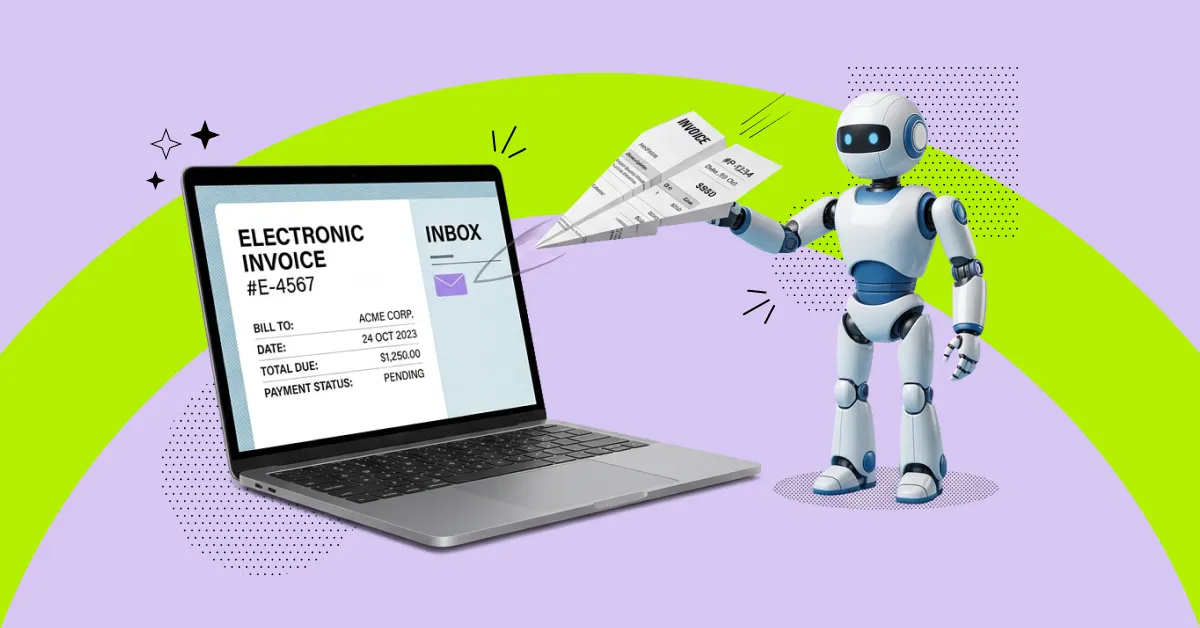
As of 2025, 68% of surveyed finance professionals reported that they still create invoices manually in their ERP systems. At the same time, manual invoice processing takes an average of 9.2 days and costs companies between $9 and $15 per document.
Manual invoice processing is one of those operations that remains an “invisible bottleneck” in financial workflows for years. Documents often get lost in email threads or Excel files, approvals are delayed, and invoice statuses sometimes have to be clarified through separate emails or calls. The result is errors in details, duplicate payments, delays in period closing, and a constant workload burden on accounting teams.
These are exactly the challenges that invoice automation addresses — an approach that has reached a new level in recent years thanks to AI. Let’s take a closer look at how it works and how these tools can be applied in your business.
Invoice processing automation is an approach in which repetitive invoice-related tasks are handled not manually but through software. This includes the entire invoice lifecycle: from receiving the document to validation, approval, posting in the accounting system, and final payment.
The key difference with invoice automation is that it is not a single tool, but a comprehensive solution ecosystem. It operates based on predefined logic: validating invoice details, matching data with contracts or purchase orders, identifying responsible approvers, routing documents, and recording every stage of processing. All of this happens automatically — based on business rules and integrations with ERP and financial systems.
As a result, companies gain a controlled and transparent financial process. Where there were once emails, Excel files, and manual checks, there is now a unified system with clear logic, an audit trail, and controlled exception handling.
OCR (optical character recognition) is often perceived as synonymous with automation, but in practice, it is only one of its components. OCR tools, such as SMART DocVision AI, are responsible for processing incoming financial documents.
The system recognizes invoices and other documents from various sources, automatically extracts key data — vendor, invoice number, amounts, dates, VAT — validates their accuracy, and converts unstructured information into structured data ready for use in an ERP system. In particular, the solution is integrated with Microsoft Dynamics 365 Business Central, enabling automatic creation of purchase invoice drafts, reducing manual workload, improving data accuracy, and preserving familiar business processes without the need for complex additional configurations.
However, this is only the beginning of invoice processing. Full-scale accounting automation adds further layers: data validation, duplicate detection, matching with contracts or purchase orders, automatic assignment of responsible parties, approval workflows based on predefined scenarios, exception handling, and integration with accounting systems.
In other words, OCR answers the question “what is written in the document,” while invoice automation answers “what should be done with this document next.”
Effective accounting automation always follows a clear sequence of actions. Regardless of the tool or the company’s level of maturity, the process is typically built around a single logic: intake → processing → validation → approval → posting → storage.
The advantage of automation tools is that they control each of these stages, treating them as a single continuous workflow — preserving the logic of preceding steps and accounting for small details that can easily be lost during manual processing.
Invoices can enter a company through various channels: as email attachments, PDF files, scanned copies of paper documents, or structured e-invoices (e.g., XML or EDI). In a non-automated environment, this often turns into a fragmented process: some documents are processed manually, some semi-structured, and some are lost altogether.
Automation solves this by creating a single point of entry. All invoices, regardless of format, are captured in the system and “normalized” into a unified format:
Once the data is extracted, the most critical stage begins — validation and processing logic. This is where automation becomes a comprehensive business tool.
The system automatically:
For example, if an invoice is missing a required field or the amount does not match the purchase order, the system will not move it forward — it will instead route it back to the responsible party for clarification. If everything is correct, the document is automatically sent for approval according to the predefined workflow.
The final stage is integration with accounting systems and completing the invoice lifecycle. Once approved, the invoice is automatically transferred to the ERP or accounting system for posting and preparation for payment.
The system then ensures:
This means that at any moment, you can answer questions such as: where the invoice is now, who is responsible for approving it, and why a delay has occurred.
Basic accounting automation helps reduce manual work and structure processes. However, AI-powered automation transforms the quality of these processes — making them more accurate, adaptive, and less dependent on the human factor.
Where rigid rules once dominated, systems now gain the ability to account for context: different invoice formats, vendor-specific nuances, historical data, and non-standard scenarios. How does this work?
In business, invoices almost never look the same. Different vendors use different templates, formats, and even languages. This is often compounded by low-quality scans, unstructured PDFs, or documents with partially damaged data.
Traditional OCR often struggles in such conditions and requires manual correction. In contrast, AI-powered OCR first reads the text and then interprets it:
The next level of AI-driven automation is data quality control. In traditional accounting systems, validation is based on fixed rules: checking mandatory fields, verifying formats, and basic amount matching.
AI adds flexibility and deeper analytical capabilities. Such solutions can:
As a result, finance teams can focus only on exceptions that truly require attention.
The impact of AI is most evident at the workflow level — where invoices move between people and systems.
In traditional automation, routing is usually predefined based on amount, department, or expense type. However, in real business processes, this is often not enough, as non-standard scenarios, delays, or “stuck” approvals can occur.
In this context, AI enables:
Exception handling is another key advantage. Instead of halting the process, the system can immediately recognize that an invoice requires additional review and route it to a specialist — without manual intervention at every stage.
To optimize accounting processes, a single tool is usually not enough. In practice, invoice automation is a combination of solutions that together cover all stages of invoice processing.
Such setups typically include several key components:
At the same time, the most effective software is not the one with the most features, but the one that integrates seamlessly into the company’s existing IT landscape. But how can this be assessed?
The choice of automation software primarily depends on a company’s business processes and its pace of growth.
To determine which solution is best suited for your finance department, it is important to evaluate options against several key criteria:
Invoice automation systems deliver the greatest value when they are integrated into a company’s existing IT landscape. This includes integration with:
In this context, not only the choice of technology matters, but also implementation expertise. For example, SMART business has experience in building comprehensive solutions based on enterprise systems, including financial process automation, integrations, and alignment with the Microsoft ecosystem. This makes it possible to establish a unified, controlled invoice automation process tailored to the specific needs of the business.
Automation significantly reduces the time required to process invoices — from receipt to approval or posting. What used to take days can now be completed in hours or even minutes.
In practice, this means:
Manual invoice processing almost always involves errors: incorrect amounts, duplicates, inaccurate details, and more. Automation helps detect these issues early — before approval or posting.
The system:
The final stages of invoice processing are closely tied to audit, reporting, and data retention requirements. This is where automation delivers the most long-term value.
As a result, businesses gain:
If you want to delegate routine finance department tasks to artificial intelligence in order to focus more on business growth, SMART business experts can help you.